
SlideShare PPT Downloader
Download public SlideShare presentations as Microsoft PowerPoint (.pptx) decks in seconds.
Need sample URLs to test? View quick examples
How to Convert & Download SlideShare Presentations to PowerPoint (.pptx)
Converting a public SlideShare slide deck into a Microsoft PowerPoint presentation allows you to study slides offline, present them during lectures, or import them directly into Google Slides.

1. Copy SlideShare Deck URL
Open the presentation on SlideShare in your browser and copy its complete web address from the address bar.
2. Paste URL & Download
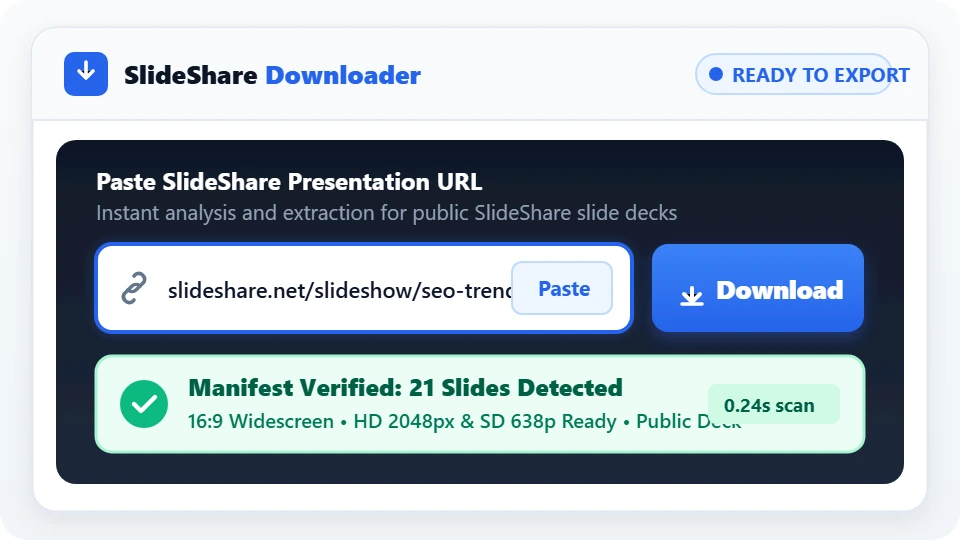
Paste the link into the URL input above and click Download. Our engine instantly verifies slide count and detects HD resolutions.
3. Export PowerPoint (.pptx)
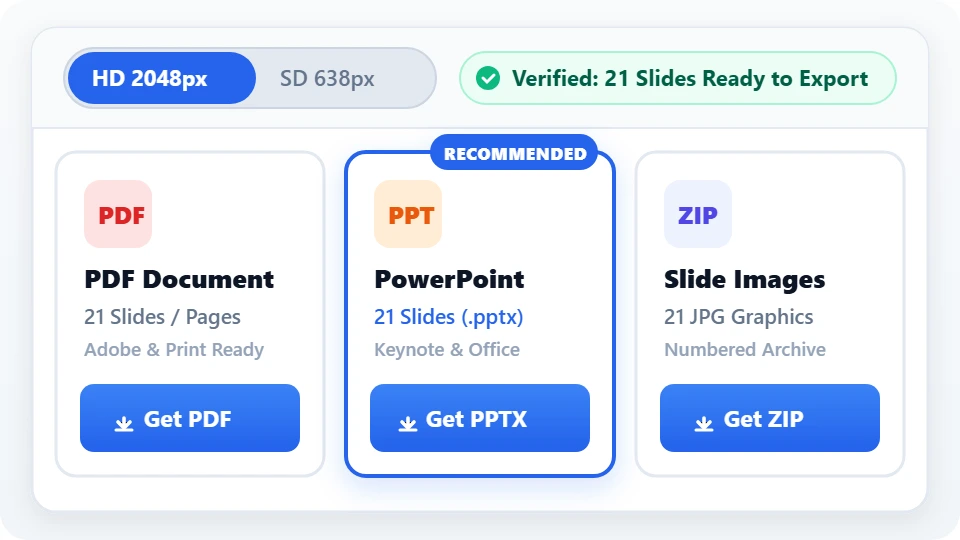
Select your preferred resolution (SD or HD), then click Download PPTX. Our engine compiles every slide in its exact sequence into a clean .pptx deck.
Technical Details: How OpenXML PowerPoint Export Works
Unlike simplistic tools that merely bundle images into an outdated binary .ppt file, our engine creates a modern, standards-compliant Office OpenXML PresentationML document (.pptx).
Native Slide Structures
Each slide is compiled as an independent XML document (ppt/slides/slide1.xml, slide2.xml, etc.) properly linked to presentation layout definitions.
Precise Coordinate Mapping
Slide boundaries are measured in English Metric Units (EMUs). Widescreen presentations use 12,192,000 x 6,858,000 EMUs (16:9), while standard presentations use 9,144,000 x 6,858,000 EMUs (4:3).
Correct Sequence Order
Slide sequence is strictly preserved from first to last slide without missing pages, skipped slides, or duplicate entries.
Image-Based Slides vs. Native Text: Clear Transparency
SlideShare does not provide public access to raw, unrendered PowerPoint source files. Presentations uploaded to the platform are converted into slide images for web delivery. As a result, exported .pptx slides contain high-resolution image backgrounds of each slide rather than vector text boxes. While you cannot highlight or backspace author text directly without OCR software, you can easily insert new text boxes, notes, highlights, and overlay shapes anywhere on the slides in PowerPoint or Google Slides.
Editing and Annotating Exported Decks
Once you open the exported .pptx file in Microsoft PowerPoint, Google Slides, or Keynote, you have full control over your offline presentation workflow.
Add Annotations & Study Notes
Insert custom text callouts, study commentary, and speaker notes directly beneath or over any slide for personalized lecture revision.
Rearrange, Prune & Reorder
Delete introductory slides you do not need, rearrange sections to fit your study syllabus, or combine slides from multiple presentations into one deck.
| Export Format | Slide Structure | Supported Software | Best Use Case |
|---|---|---|---|
| PowerPoint (.pptx) | Office OpenXML ML with raster slide visuals | PowerPoint 2013+, Google Slides, Keynote | Offline lecturing, slide reorganizing, study overlays |
| PDF Document (.pdf) | Standardized vector-clean document | Adobe Acrobat, Apple Preview, Mobile | Printing handouts, e-reader study, revision notes |
| Slide Images (.zip) | Numbered sequential JPEG images (638p / 2048p) | Any image viewer or photo editor | Extracting specific diagrams, charts, and infographics |
Frequently Asked Questions About SlideShare to PPT
Common questions regarding presentation formatting, Mac compatibility, and large slide deck exports.
Can I open the downloaded .pptx on a Mac or iPad?
Yes. The .pptx format is fully supported by Microsoft PowerPoint for Mac, Apple Keynote, Google Slides in Safari or Chrome, and LibreOffice on macOS and iPadOS.
Will the slide aspect ratio match the original presentation?
Yes. Our engine inspects the pixel dimensions of the first slide. If the aspect ratio exceeds 1.5, the presentation is generated using the 16:9 widescreen layout. Otherwise, it defaults to standard 4:3 layout, preventing black bars and distortion.
Can I download decks with 50+ or 100+ slides?
Yes. The downloader has been verified on decks with up to 90+ slides. For very large decks, processing may take 15 to 30 seconds as all slide assets are fetched and packaged.
Can I import the .pptx file into Google Slides?
Yes. Open Google Drive, click New > File upload, select your downloaded .pptx file, and open it with Google Slides. All slide backgrounds and aspect ratios will be preserved.
Related SlideShare Conversion Engines
Need your presentation in a different format? Explore our complementary export tools.
SlideShare to PDF Converter
Compile presentations into clean, printable PDF documents with landscape zero-bleed margins and universal mobile reader support.
Slide Images & ZIP Downloader
Download individual high-resolution JPEG slide frames or export the entire presentation as an organized ZIP archive.
If you need to present slide decks offline or add personal notes in Microsoft PowerPoint, our dedicated slideshare ppt downloader delivers pristine rasterized PPTX presentations within seconds. Whether you are preparing a lecture or studying corporate strategies, you can access your presentation material smoothly on any desktop or mobile device.